
How to set up multi-room audio with Snapcast
Snapcast provides perfectly synchronized audio playback across multiple rooms. odio nodes run as Snapcast clients, you need a Snapserver running elsewhere (typically a NAS).
How it works
Section titled “How it works”Snapcast has two components:
- Snapserver runs on your NAS or a dedicated machine. It receives audio from multiple sources (MPD, Spotify, AirPlay, PipeWire) and distributes them as synchronized streams.
- Snapclient runs on each odio node. It receives a stream from the Snapserver and plays it back in perfect sync with all other clients.
The heavy work (mixing, source management) is on the server, Clients are lightweight.
On the odio node
Section titled “On the odio node”odio ships Snapclient pre-installed as a systemctl --user service; it can be started, stopped, or monitored from the embedded UI, the application, or Home Assistant via the service controls. Discovery of the Snapserver is automatic via Zeroconf (avahi), as long as both ends share a network.
Since 2026.5.0b3, the odio API also publishes the snapweb URL alongside snapclient.service, so the embedded UI and odio application link to the server’s web interface directly from their services list.
That URL is discovered once, at first boot: a one-shot service waits for the network and avahi to come up, asks snapclientmpris --discover for the Snapserver’s snapweb address, writes it into odio-api’s config, then drops a marker so it never runs again.
MPRIS integration (snapclientmpris)
Section titled “MPRIS integration (snapclientmpris)”Snapclient on its own has no MPRIS interface, so the currently playing stream is invisible to the odio UI, or any other MPRIS consumer. snapclientmpris bridges that gap: it surfaces stream metadata (title, artist, album, cover art) from the snapserver, and forwards MPRIS Play, Pause, Next, Previous, Stop to the stream’s actual source through snapserver’s Stream.Control. Pausing from one room pauses every listener on the stream, the multi-room semantic MPRIS clients expect (like Spotify Connect or AirPlay 2).
The bridge appears on D-Bus as org.mpris.MediaPlayer2.snapcast and is picked up automatically by the odio UI, Home Assistant, playerctl, GNOME’s media keys, gnome-music, and any other MPRIS client.
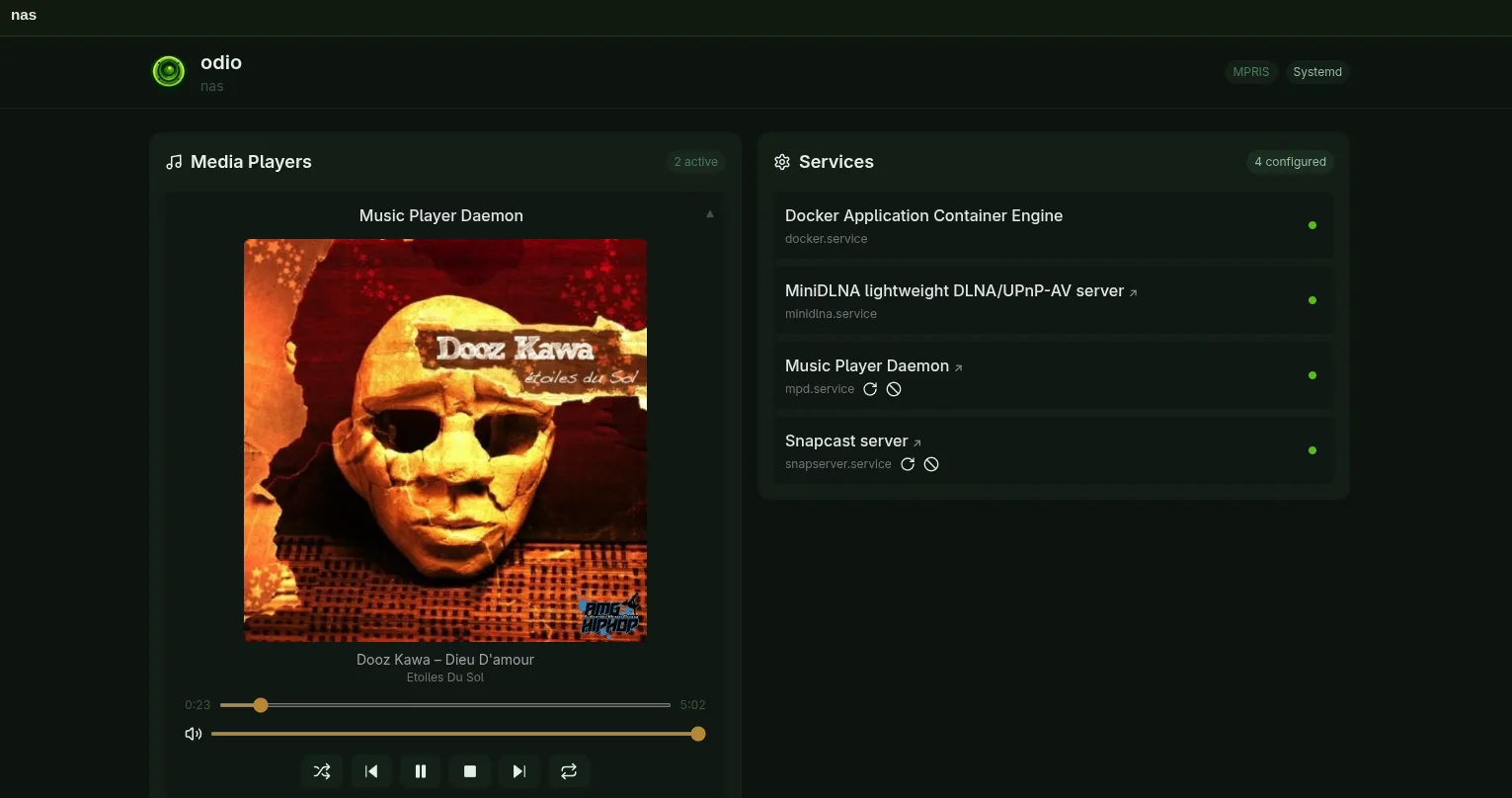
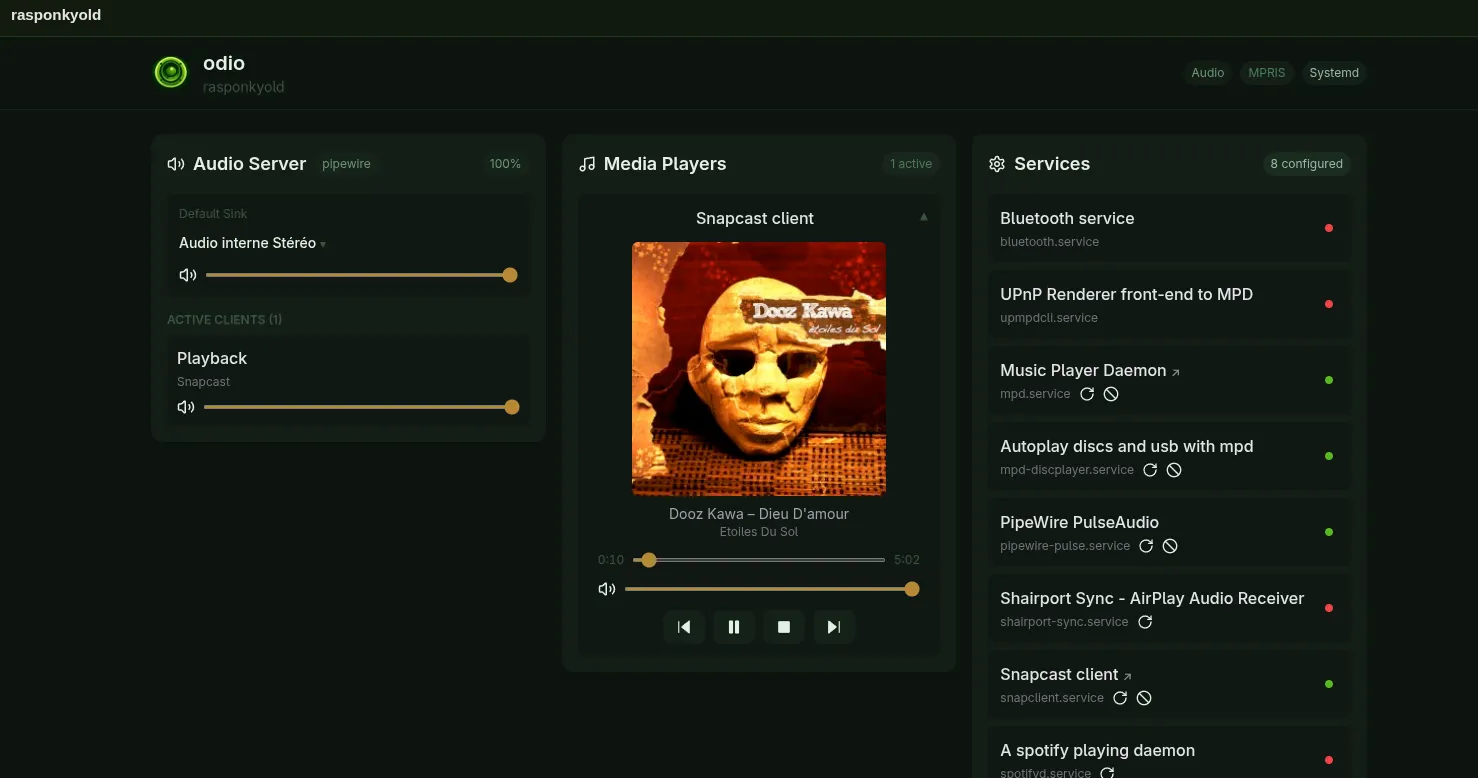
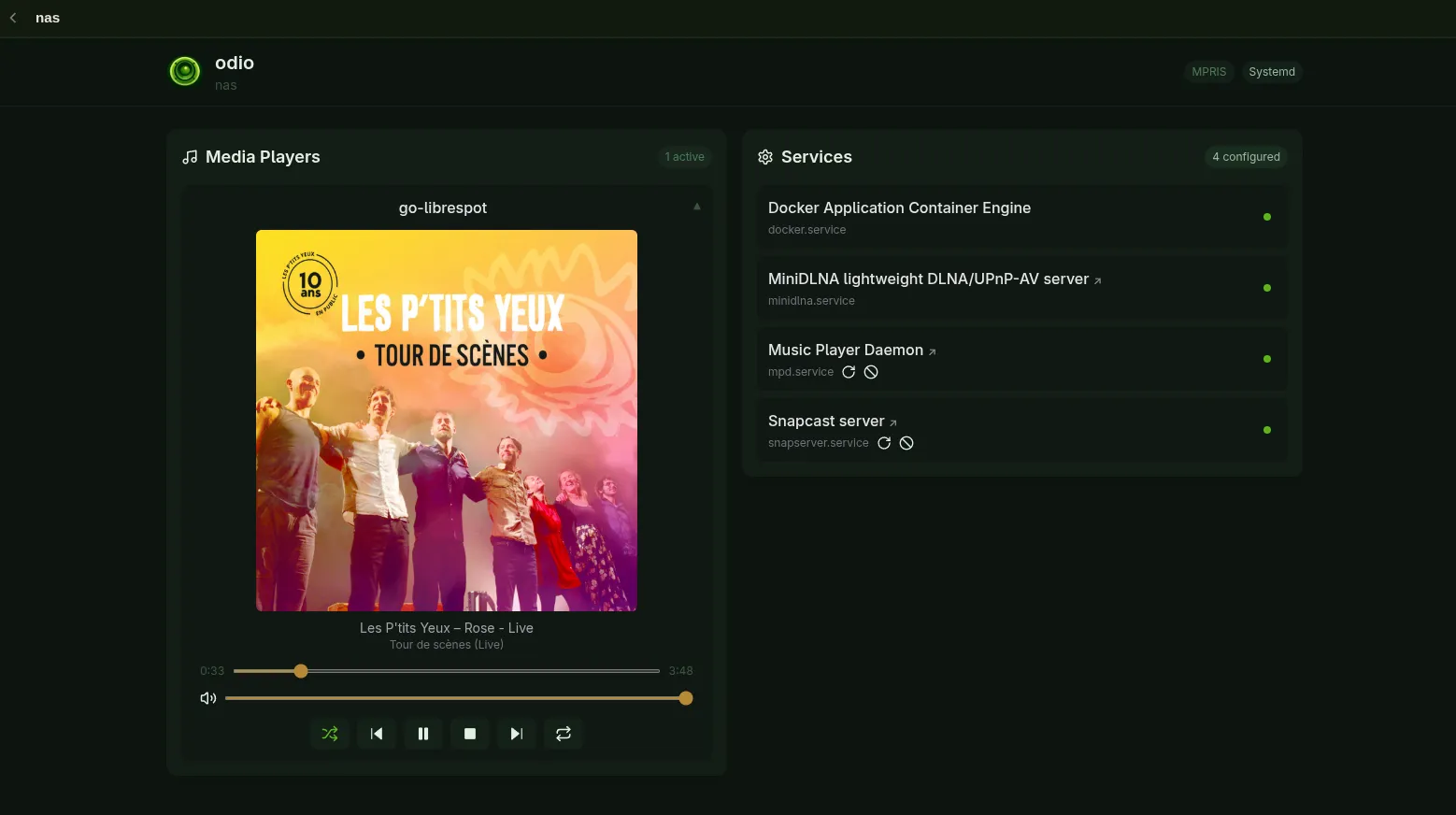
mpris_enabled: true makes go-librespot itself an MPRIS player on the NAS, and the control script feeds the same metadata into the snapserver stream.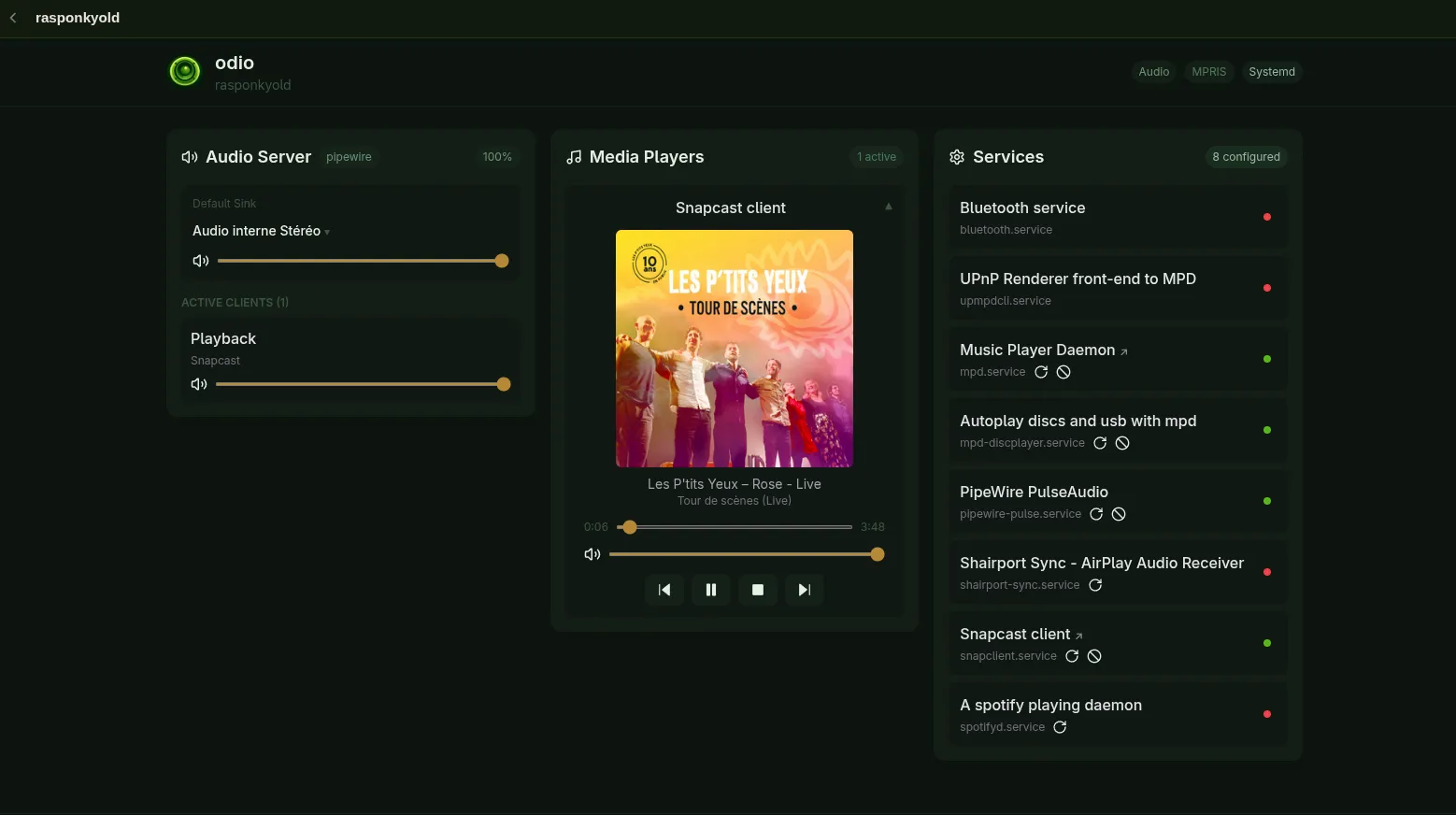
meta_go-librespot.py.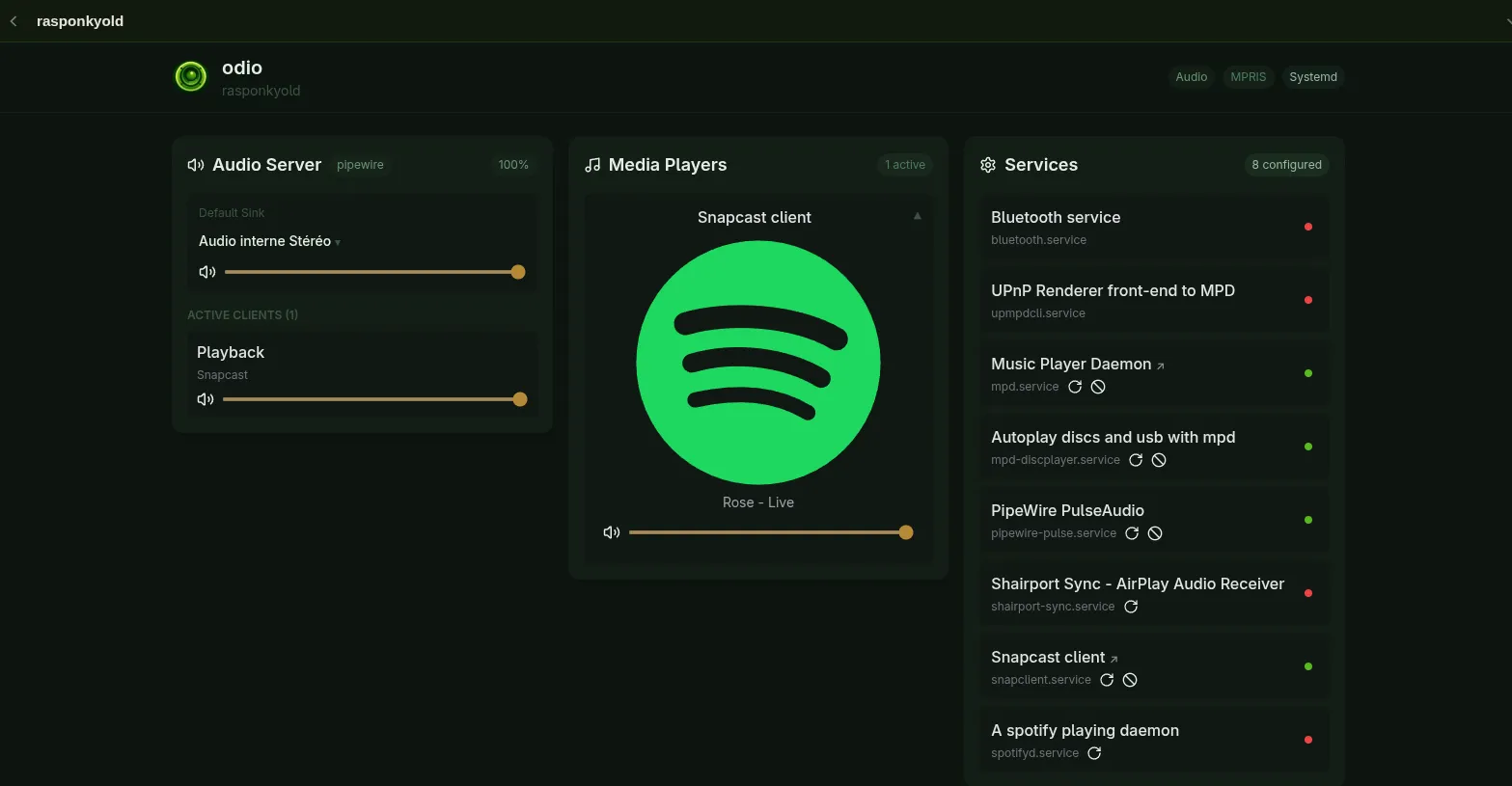
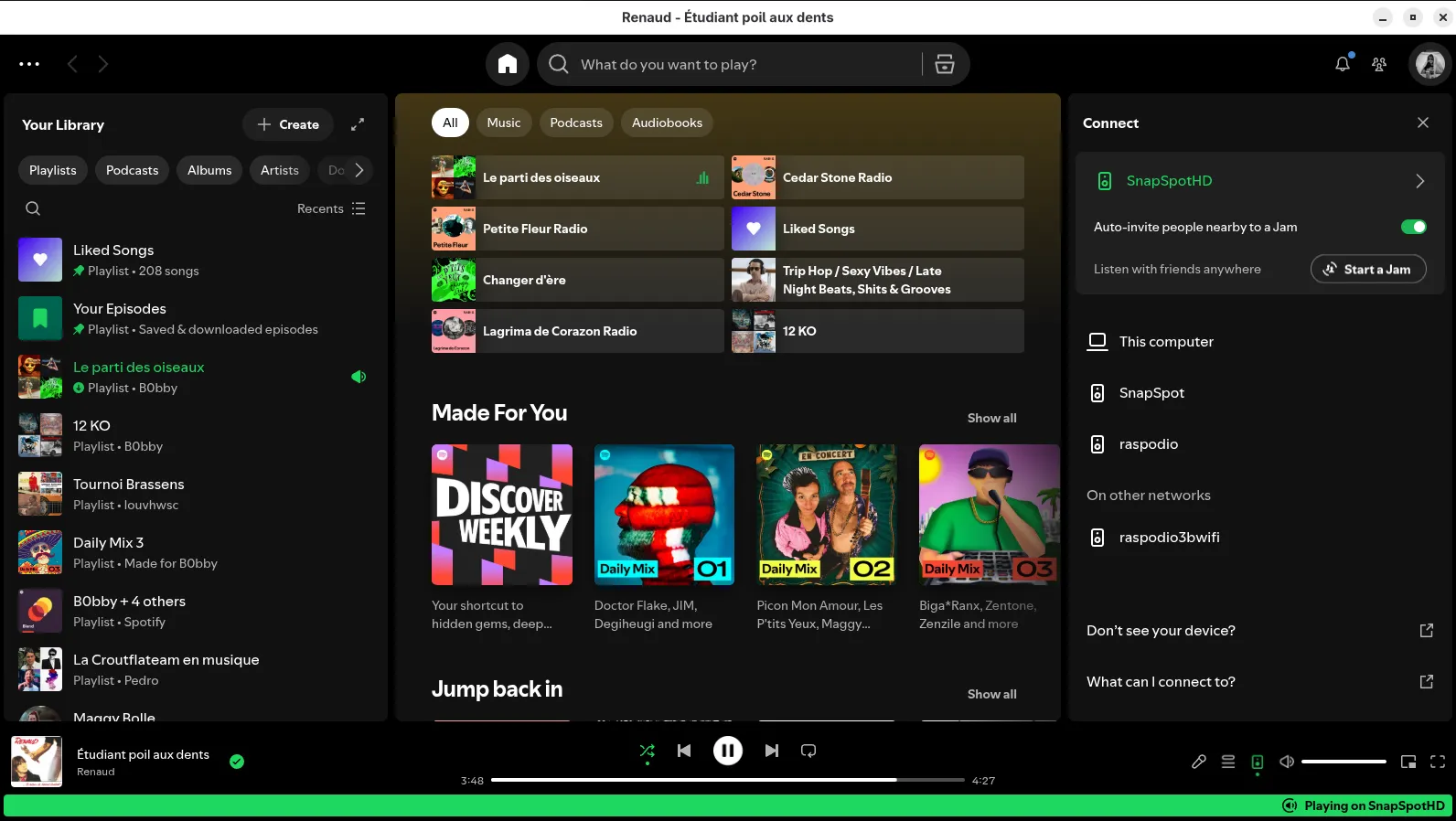
SnapSpotHD (the devicename= of the librespot source).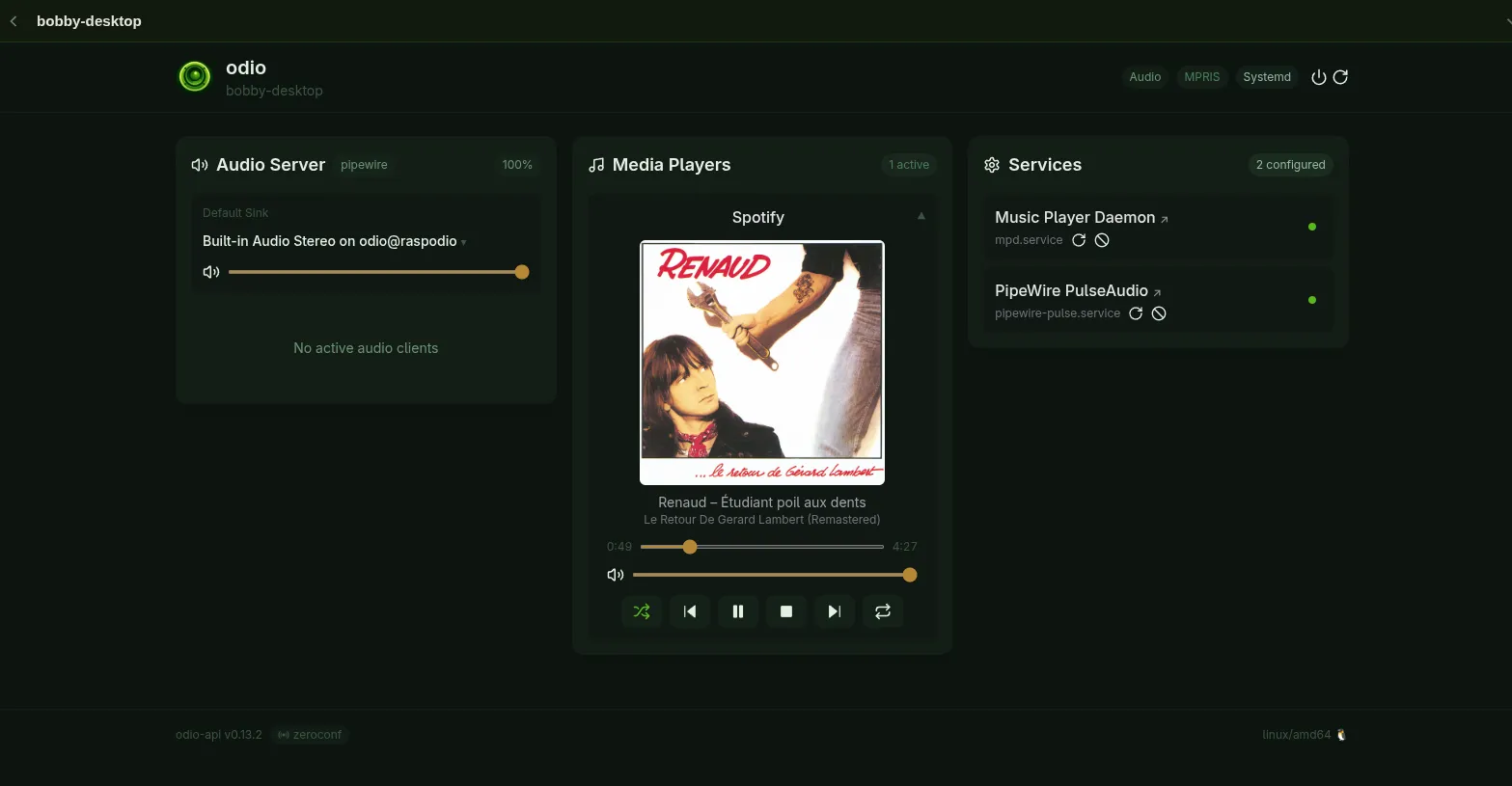
Installation
Section titled “Installation”odios installs snapclientmpris alongside Snapclient since 2026.5.0b3, so a fresh odio node has it ready. For manual installation on an existing node, the package ships from apt.odio.love:
sudo apt install snapclientmprisThe package depends on snapclient (apt pulls it in automatically) and ships two systemd units, one for each D-Bus bus mode below. Neither is auto-enabled.
Session bus mode (default)
Section titled “Session bus mode (default)”The mode odios enables. The bridge runs as a systemctl --user service on the session D-Bus, where the rest of the odio stack already runs. The unit is also D-Bus session-activatable: any MPRIS client requesting org.mpris.MediaPlayer2.snapcast starts the bridge on demand, so systemctl --user enable --now is only useful to bring it up before any client asks.
System bus mode
Section titled “System bus mode”For setups where Snapclient already runs as a system service (typically a HiFiBerry-style deployment or another integration that pre-dates the user-session approach), system bus mode runs the bridge as the _snapclient system user and owns org.mpris.MediaPlayer2.snapcast on the system bus instead. The package ships the matching D-Bus policy so any local user can still talk to it.
Switching is a config-file change (dbus-bus = system instead of session) followed by enabling the system-scope unit rather than the user-scope one; see the README for the exact commands.
On the server (Snapserver)
Section titled “On the server (Snapserver)”The Snapserver runs on your NAS, not on the odio nodes. Installing it (v0.35+ for the control-script metadata pipeline), running it as a user service, and wiring up the MPD, Spotify, and AirPlay stream sources lives in the NAS use case.
Controlling rooms
Section titled “Controlling rooms”Snapcast has several control surfaces; pick whichever fits the moment:
- Snapweb — web UI at
http://<server>:1780showing all clients and streams. Per-room volume, mute, stream assignment. - Snapcast app (Android) — same controls on your phone.
- MPRIS clients — through snapclientmpris, the standard MPRIS surface (odio UI, Home Assistant,
playerctl, gnome-music, …) shows the current stream’s metadata and lets you pause or skip from any room, pausing every listener at once. - Home Assistant — Snapcast also has its own dedicated HA integration (separate from odio’s), exposing clients and streams as native HA entities.
Each client can be assigned to a different stream: living room on Spotify, bedroom on MPD, office on AirPlay.
Desktop integration (PipeWire)
Section titled “Desktop integration (PipeWire)”PipeWire can automatically detect Snapcast servers on your network. With the libpipewire-module-snapcast-discover module, any audio played on a desktop or laptop (browser, media player, games, system sounds) automatically appears as a Snapcast stream — zero configuration needed.
Create ~/.config/pipewire/pipewire.conf.d/my-snapcast-discover.conf:
context.modules = [{ name = libpipewire-module-snapcast-discover args = { stream.rules = [ { matches = [ { snapcast.ip = "~.*" } ] actions = { create-stream = { node.name = "Snapcast" node.description = "Snapcast Server" } } } ] }}]Restart PipeWire:
systemctl --user restart pipewire-pulse.service pipewire.service wireplumber.serviceThe Snapserver appears as “Snapcast Server” in your audio outputs. Select it, and all your desktop audio is distributed to every room.