
How to use odio with a home theater PC (HTPC)
An HTPC running Kodi or a browser for streaming already handles video and media playback. odio fits right alongside it, you get a DAC-quality audio output for both movies and music, with unified control over every source.
Audio through the DAC
Section titled “Audio through the DAC”Set PULSE_SERVER to the IP of your odio node, and all HTPC audio routes to the node’s DAC via PulseAudio TCP. This applies to everything running on the HTPC: Kodi, Firefox, Chrome, any application.
Run Kodi as a systemd user service with PulseAudio as audio backend:
[Unit]Description=KodiAfter=graphical-session.target
[Service]Type=simpleEnvironment=WAYLAND_DISPLAY=wayland-1Environment=XDG_RUNTIME_DIR=/run/user/%UEnvironment=PULSE_SERVER=192.168.x.x:4713ExecStart=/usr/bin/kodi --standalone --audio-backend=pulseaudioExecStop=/usr/bin/killall kodi.binRestart=noTimeoutStopSec=20
[Install]WantedBy=default.target
Firefox / Chrome kiosk
Section titled “Firefox / Chrome kiosk”For Firefox or Chrome kiosk (Netflix, YouTube, streaming services), use a templated systemd user service:
[Unit]Description=%iAfter=graphical-session.target
[Service]Type=simpleEnvironment=WAYLAND_DISPLAY=wayland-1Environment=XDG_RUNTIME_DIR=/run/user/%UExecStart=/usr/bin/firefox -P %i --no-remote --new-window --kiosk https://%iExecStop=/bin/kill $MAINPIDRestart=noKillMode=mixedTimeoutStopSec=5
[Install]WantedBy=default.target
Enable with the service name matching the URL, e.g. systemctl --user start firefox-kiosk@netflix.com.
Plex users can stream directly to an odio node via AirPlay, no extra setup beyond Plex’s native AirPlay support. Confirmed by /u/Sterkenzz.
Unified control with go-odio-api
Section titled “Unified control with go-odio-api”Install go-odio-api on the HTPC and it discovers every MPRIS player running in the session. Kodi requires the MPRIS D-Bus interface addon to be discovered.
With the systemd backend configured, you can start and stop Kodi, Firefox kiosk, or any other whitelisted service directly from the embedded web UI, the odio application, or Home Assistant.
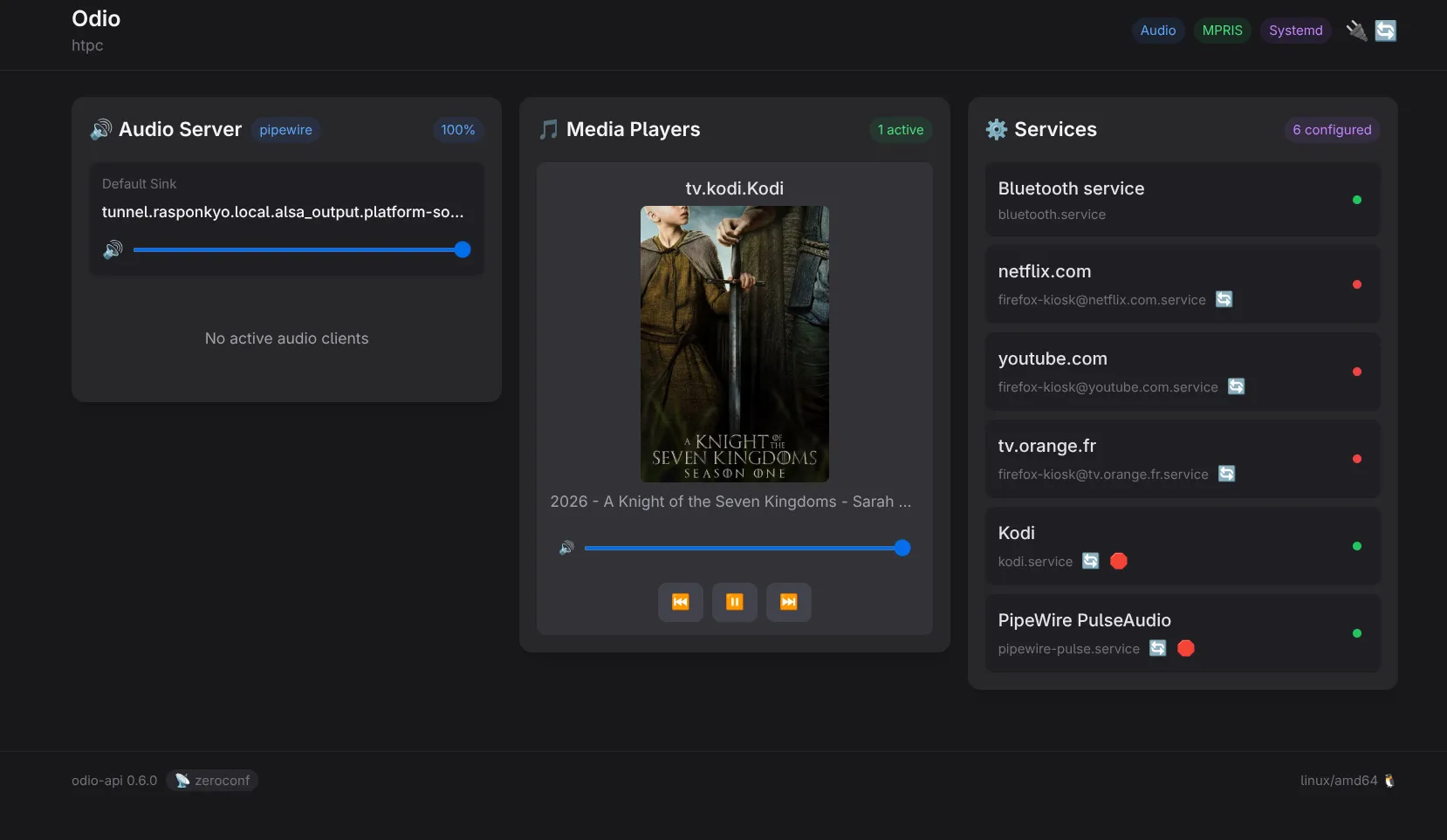
Remote control
Section titled “Remote control”Control the HTPC from anywhere:
- The odio application from your phone
- Home Assistant with auto-discovery
- A UPnP control point like BubbleDS Next or BubbleUPnP to browse a DLNA server and direct playback to the HTPC