
How to configure an odio node from the settings page
Since 2026.9.0b1, odio serves a settings page on port 8021. Behind it is odioctl. It replaces the former odio-upgrade.py script, and it is meant to grow as needs come. For now it covers applying upgrades, enabling or disabling components, selecting the DAC overlay and rebooting after one, and the Qobuz Connect and Tidal logins. What gets pulled into it versus left on the command line follows the configuration philosophy: bring your case to discussions.
Access
Section titled “Access”http://<ip>:8021Or via Zeroconf (mDNS):
http://<hostname>.local:8021The embedded web UI links to it from the gear icon in its header, since odio-api v0.17.0. odios sets the api.ui.admin key for that.
There is no authentication, the same LAN trust model as odio-api: anyone who can reach the port can act on the node. Every form carries a per-process token, so a page on another site cannot drive the box through your browser. The port is held by a systemd user socket, odioctl-web.socket, on all interfaces. To keep it on loopback, override its ListenStream with a drop-in.
The page follows the node live: every section subscribes to an event stream and re-renders itself, so a toggle, an upgrade run or a DAC change shows up on every open page without a reload.
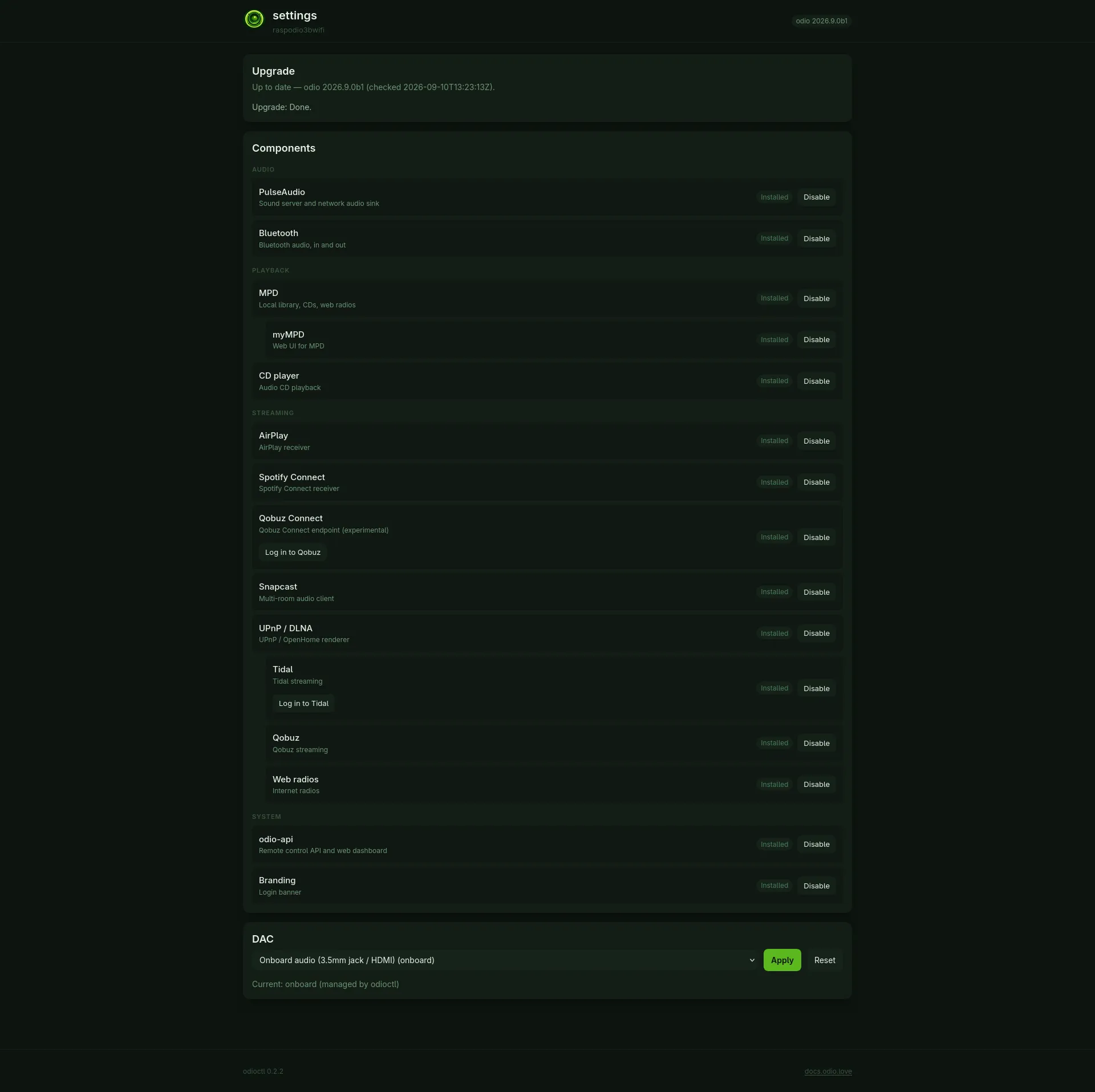
Upgrade
Section titled “Upgrade”The top section mirrors the daily check run by odio-check-upgrade.timer: no check yet, up to date, or the list of roles with a newer version in the target release. Apply now starts odio-upgrade.service, the same unit Home Assistant and the embedded web UI trigger, so progress shows up in odio-ui and in the Home Assistant Firmware entity as usual. The node keeps playing, but services restart along the way. While the run is in flight the button reads Upgrading…, and how it ended stays under the section afterwards, done or failed with its exit code. See How to upgrade odio for the full flow.
Components
Section titled “Components”Components are the roles odios installs (PulseAudio, Bluetooth, MPD, CD player, AirPlay, Spotify Connect, Qobuz Connect, Snapcast, UPnP / DLNA, odio-api, Branding, the local screen) and the features that plug into a role (myMPD under MPD, Tidal, Qobuz and Web radios under UPnP / DLNA). They are grouped as Audio, Playback, Streaming and System, each with a status chip: Installed, Disabled, or Will install on next upgrade when the role is not on this node yet.
The button on the row only records the choice in /var/lib/odio/state.json: Enable, Disable, or Skip on a component that would install on the next upgrade. Nothing is installed or removed until the next upgrade run: enabling installs the component then, disabling keeps it installed but stops updating it. Trigger an upgrade to apply right away. Base system and Upgrade are infrastructure and cannot be toggled.
Tidal and Qobuz Connect carry a login button on their row, once the component is installed. It runs the sign-in helper on the node and opens its output in a dialog, with a link valid for five minutes to complete the login from your browser; the row then carries a Done chip. See the Tidal and Qobuz Connect guides for what comes after.
This section needs a config.txt; on anything but a Raspberry Pi it says so and offers nothing. Pick the board from the list and click Apply. odioctl writes one marked block at the end of /boot/firmware/config.txt, with the onboard audio turned off and the board’s dtoverlay line, and comments out any audio line it recognizes elsewhere in the file with an #odioctl-disabled: prefix. A copy of the original is kept once as config.txt.odioctl.bak. The change takes effect after a reboot: odioctl leaves a /run/odioctl/reboot-required flag, and the page carries a banner with a Reboot now button, which confirms first, until the node comes back.
Reset removes the block and restores the commented lines. An overlay odioctl does not know is left untouched and reported under the picker, whether a line is audio is not something to guess at.
Overclocking stays a manual edit, outside the managed block, see Installation.
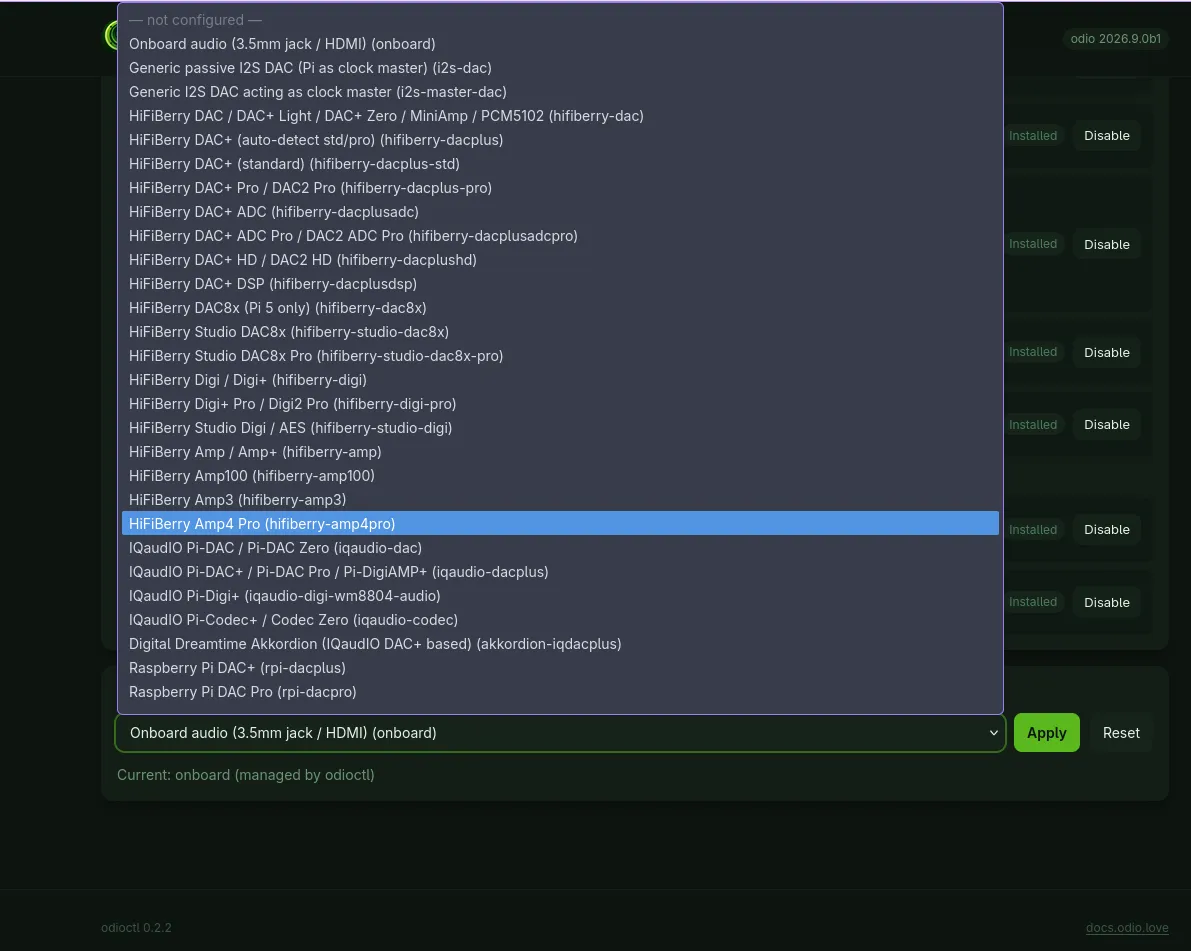
Supported boards
The id column is what odioctl dac set takes. Missing yours? Open an issue on odioctl with the dtoverlay line it needs.
| Id | Board |
|---|---|
onboard | Onboard audio (3.5mm jack / HDMI) |
i2s-dac | Generic passive I2S DAC (Pi as clock master) |
i2s-master-dac | Generic I2S DAC acting as clock master |
hifiberry-dac | HiFiBerry DAC / DAC+ Light / DAC+ Zero / MiniAmp / PCM5102 |
hifiberry-dacplus | HiFiBerry DAC+ (auto-detect std/pro) |
hifiberry-dacplus-std | HiFiBerry DAC+ (standard) |
hifiberry-dacplus-pro | HiFiBerry DAC+ Pro / DAC2 Pro |
hifiberry-dacplusadc | HiFiBerry DAC+ ADC |
hifiberry-dacplusadcpro | HiFiBerry DAC+ ADC Pro / DAC2 ADC Pro |
hifiberry-dacplushd | HiFiBerry DAC+ HD / DAC2 HD |
hifiberry-dacplusdsp | HiFiBerry DAC+ DSP |
hifiberry-dac8x | HiFiBerry DAC8x (Pi 5 only) |
hifiberry-studio-dac8x | HiFiBerry Studio DAC8x |
hifiberry-studio-dac8x-pro | HiFiBerry Studio DAC8x Pro |
hifiberry-digi | HiFiBerry Digi / Digi+ |
hifiberry-digi-pro | HiFiBerry Digi+ Pro / Digi2 Pro |
hifiberry-studio-digi | HiFiBerry Studio Digi / AES |
hifiberry-amp | HiFiBerry Amp / Amp+ |
hifiberry-amp100 | HiFiBerry Amp100 |
hifiberry-amp3 | HiFiBerry Amp3 |
hifiberry-amp4pro | HiFiBerry Amp4 Pro |
iqaudio-dac | IQaudIO Pi-DAC / Pi-DAC Zero |
iqaudio-dacplus | IQaudIO Pi-DAC+ / Pi-DAC Pro / Pi-DigiAMP+ |
iqaudio-digi-wm8804-audio | IQaudIO Pi-Digi+ |
iqaudio-codec | IQaudIO Pi-Codec+ / Codec Zero |
akkordion-iqdacplus | Digital Dreamtime Akkordion (IQaudIO DAC+ based) |
rpi-dacplus | Raspberry Pi DAC+ |
rpi-dacpro | Raspberry Pi DAC Pro |
rpi-digiampplus | Raspberry Pi DigiAMP+ |
rpi-codeczero | Raspberry Pi Codec Zero |
allo-boss-dac-pcm512x-audio | Allo Boss DAC |
allo-boss2-dac-audio | Allo Boss2 DAC |
allo-piano-dac-pcm512x-audio | Allo Piano DAC 2.0 (2.1 in stereo only) |
allo-piano-dac-plus-pcm512x-audio | Allo Piano DAC 2.1 |
allo-digione | Allo DigiOne |
allo-katana-dac-audio | Allo Katana DAC |
justboom-dac | JustBoom DAC HAT / Amp HAT / DAC Zero / Amp Zero |
justboom-digi | JustBoom Digi HAT / Digi Zero |
justboom-both | JustBoom DAC + Digi (stacked) |
pifi-dac-hd | PiFi DAC HD |
pifi-dac-zero | PiFi DAC Zero |
pifi-40 | PiFi 40W stereo amplifier |
pifi-mini-210 | PiFi Mini stereo amplifier |
dionaudio-loco | Dion Audio LOCO DAC-AMP |
dionaudio-loco-v2 | Dion Audio LOCO-V2 DAC-AMP |
dionaudio-kiwi | Dion Audio KIWI Streamer |
audioinjector-wm8731-audio | AudioInjector Zero / Stereo |
audioinjector-addons | AudioInjector Octo |
audioinjector-ultra | AudioInjector Ultra |
audioinjector-isolated-soundcard | AudioInjector Isolated |
audioinjector-bare-i2s | AudioInjector bare I2S |
pisound | Blokas Pisound |
pisound-pi5 | Blokas Pisound (Pi 5) |
pisound-micro | Blokas Pisound Micro |
applepi-dac | Orchard Audio ApplePi-DAC |
i-sabre-q2m | Audiophonics I-Sabre Q2M |
rra-digidac1-wm8741-audio | Red Rocks Audio DigiDAC1 |
dacberry400 | DACBerry 400 |
chipdip-dac | Chip Dip DAC |
interludeaudio-analog | Interlude Audio Analog HAT |
Command line
Section titled “Command line”Everything on the page is a subcommand of odioctl, run as the odio user over SSH. The privileged ones, upgrade apply and dac set / dac unset, go through sudo, which the package’s sudoers fragment allows without a password for members of the odioctl group.
odioctl upgrade check # compare state.json with the published manifestsudo odioctl upgrade apply # what Apply now and odio-upgrade.service runodioctl components list # roles and features with their statusodioctl components disable branding # recorded in state.json, applied on the next upgradeodioctl dac list # the board catalogsudo odioctl dac set hifiberry-dacplus-std # then rebootsudo odioctl dac unsetTo track an odios pre-release instead of the published latest, pass --version pr-84 to upgrade check and upgrade apply, or set ODIOCTL_ODIOS_VERSION=pr-84 in /etc/default/odioctl, which both the daily timer and the settings page read. Only a release tag is accepted there, never a URL: it is interpolated into a GitHub release path for odios and nothing else. See CI/CD for how PRs get published as pr-<N> pre-releases.
Full synopsis and exit codes
odioctl upgrade check [--version TAG] [--state PATH] [--output PATH]odioctl upgrade apply [--version V] [--state PATH] [--dry-run] [--force] [--reinstall] [--progress|--no-progress]odioctl upgrade verify [--state PATH] [--expected-version TAG]odioctl pwa-urlodioctl components [--state PATH] list [--json] | enable NAME | disable NAMEodioctl dac list [--json] | status [--json] | set ID [--dry-run] | unsetodioctl web [--bind 0.0.0.0] [--port 8021] [--state PATH] [--config PATH]| Command | Exit codes |
|---|---|
upgrade check | 0 up to date, 1 upgrades available, 2 error |
upgrade apply | 0 upgraded or nothing to do, 1 install.sh failed, 2 error |
upgrade verify | 0 valid, 1 invalid, 2 state.json missing |
apply re-runs install.sh from the target release with the opt-outs derived from state.json, and skips roles whose version did not move. --reinstall re-runs every role in full. Only the current state.json schema is accepted, nodes installed before 2026.5 need a fresh install.
Under the hood
- What the package ships. The
odioctlbinary, user units for the daily check, the upgrade run and the settings page, and/etc/sudoers.d/odioctl. odios enablesodio-check-upgrade.timerandodioctl-web.socketfor the target user. The socket holds port 8021 from boot and startsodioctl webon the first connection, so restarting the service never drops a request. - Who runs what. The page runs as the odio user. It edits
state.jsondirectly, which is why/var/lib/odiois group-writable byodiosince 2026.9.0b1, and reachesconfig.txtthroughsudo -n odioctl dac …. - Two groups on purpose.
odiogrants access tostate.jsonand holds the installing user too.odioctlgrants passwordless root for exactly three things:upgrade apply --progress,dac set <id>with one sudoers line per catalog id, anddac unset. The fragment is generated from the DAC catalog, and CI fails when the two drift. A group that grants reads must not also grant root. - The cache.
/var/cache/odio/upgrades.jsonis rewritten by the check and after every component toggle. odio-api and the SSH MOTD read it, see the upgrade API for its contract.